I would love to continue the discussion on how systems thinking can ensure technological access and drive positive change at scale. Feel free to email me or send me a message through LinkedIn.
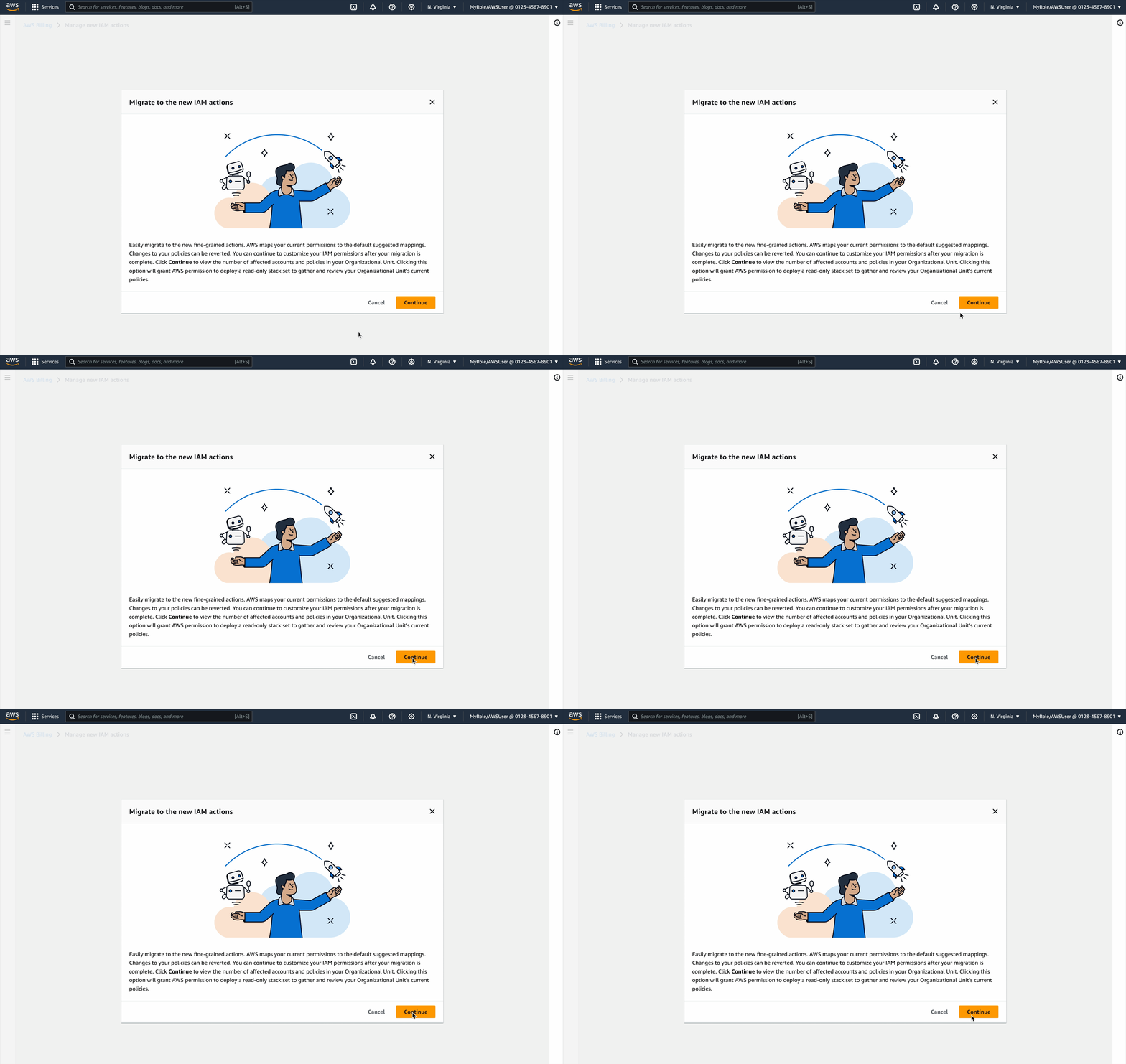
In 2024, I worked with the AWS Insights and Optimizations team to launch a new console-based experience aimed to streamline the migration of thousands of account permissions for large enterprise and non-technical AWS customers.
Launch announcement: https://aws.amazon.com/about-aws/whats-new/2024/05/aws-console-based-bulk-policy-migration-billing-cost-management-console-access/
AWS FinOps customers were struggling to update their account permissions. The existing solutions were either too technical, requiring command-line scripts and CloudFormation expertise, or too tedious, with endless repetitive steps in the console.
This complexity left nearly 300,000 customer accounts at risk of losing access to future AWS features.
My challenge as the sole UX designer was to transform this into a simple, scalable, and trustworthy experience that both technical and non-technical users could adopt with confidence.
⟡Pen ⟡Paper ⟡Figma ⟡Research ⟡Sketching ⟡Prototyping
To address customer challenges with account permission migration, I began by analyzing two existing solutions: the Affected Policies Console and the Script-based Bulk Policy Migrator. I conducted a thorough audit, mapping customer journeys for both options. This process revealed critical pain points and highlighted key opportunities for optimization. By understanding the current state and user behaviors, I laid the groundwork for developing a more efficient and user-friendly migration experience.
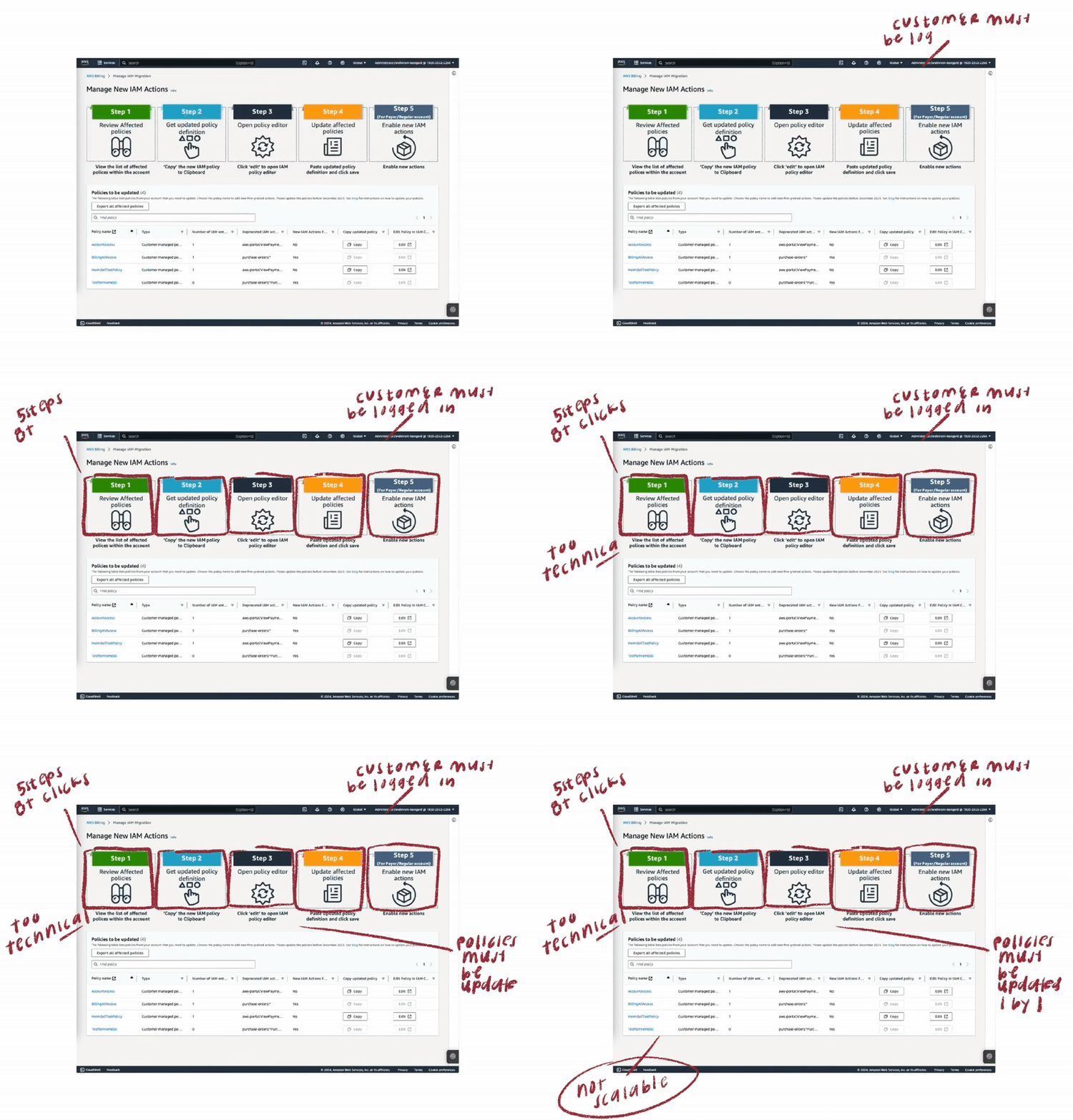
⟡ Customers faced excessive, repetitive steps that increased time-to-completion
⟡ Required constant switching between multiple consoles to perform account migration, disrupting workflow
⟡ Lacked scalability for enterprise customers managing thousands of accounts with unique permissions
⟡ Excluded non-technical users from accessing core functionality
⟡ Required complex development environment setup and configuration
⟡ Low adoption rate due to technical complexity and programmatic approach
Leveraging insights from the audit of existing solutions, I pinpointed critical customer needs, establishing a foundation for designing a targeted and improved migration experience.
⟡ Enable bulk migration capabilities to accommodate organizations of all sizes.
⟡ Implement safeguards and rollback options for risk-free operations.
⟡ Deliver console-based solution accessible to all user skill levels.
⟡ Streamline the migration process to reduce time and complexity.
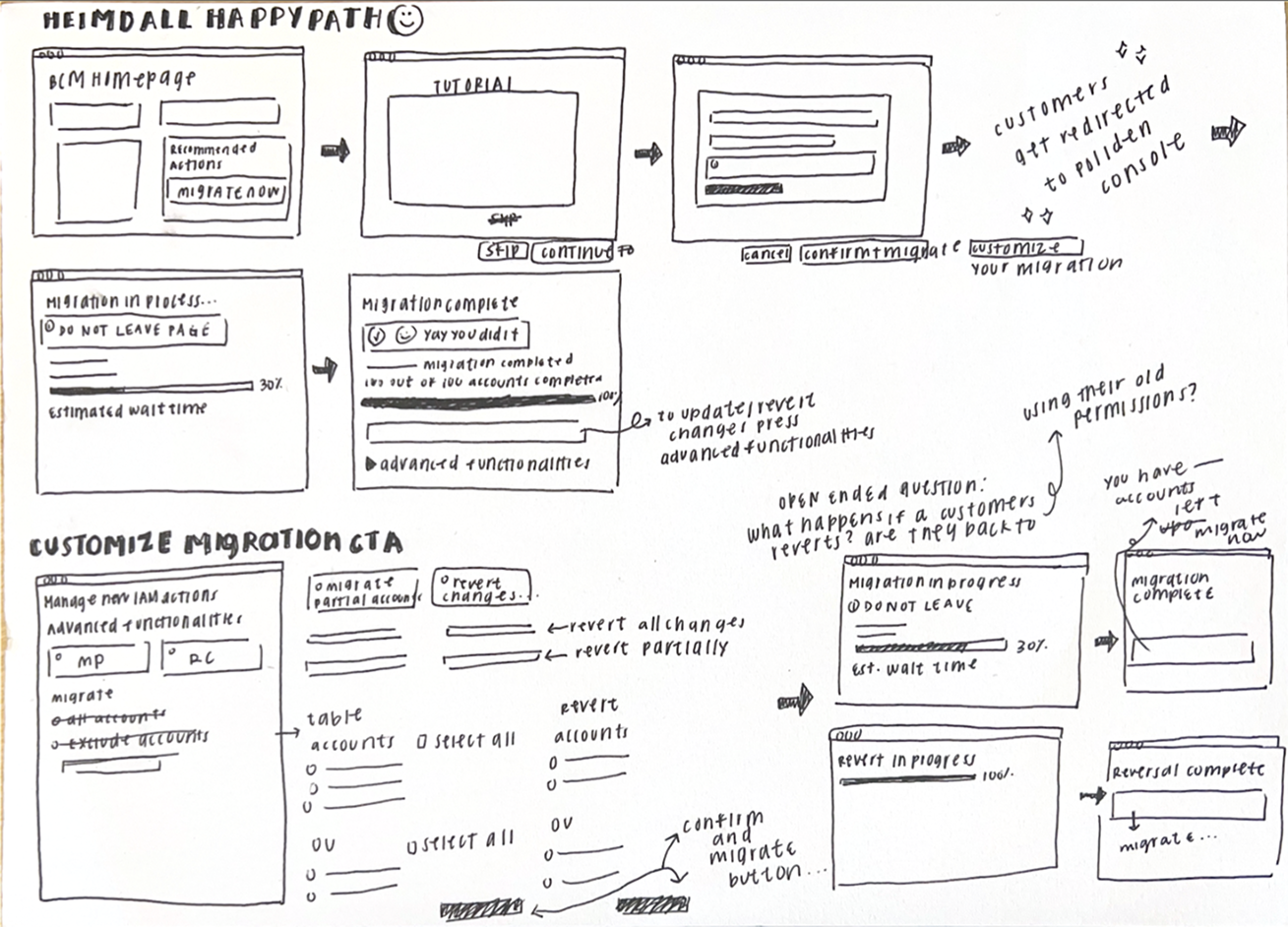
Partnering with my product and engineering leads, I defined and mapped out 5 key customer migration scenarios aimed at building trust, cultivating safety, and providing clarity, from one-click full migrations to selective changes and rollback flows.
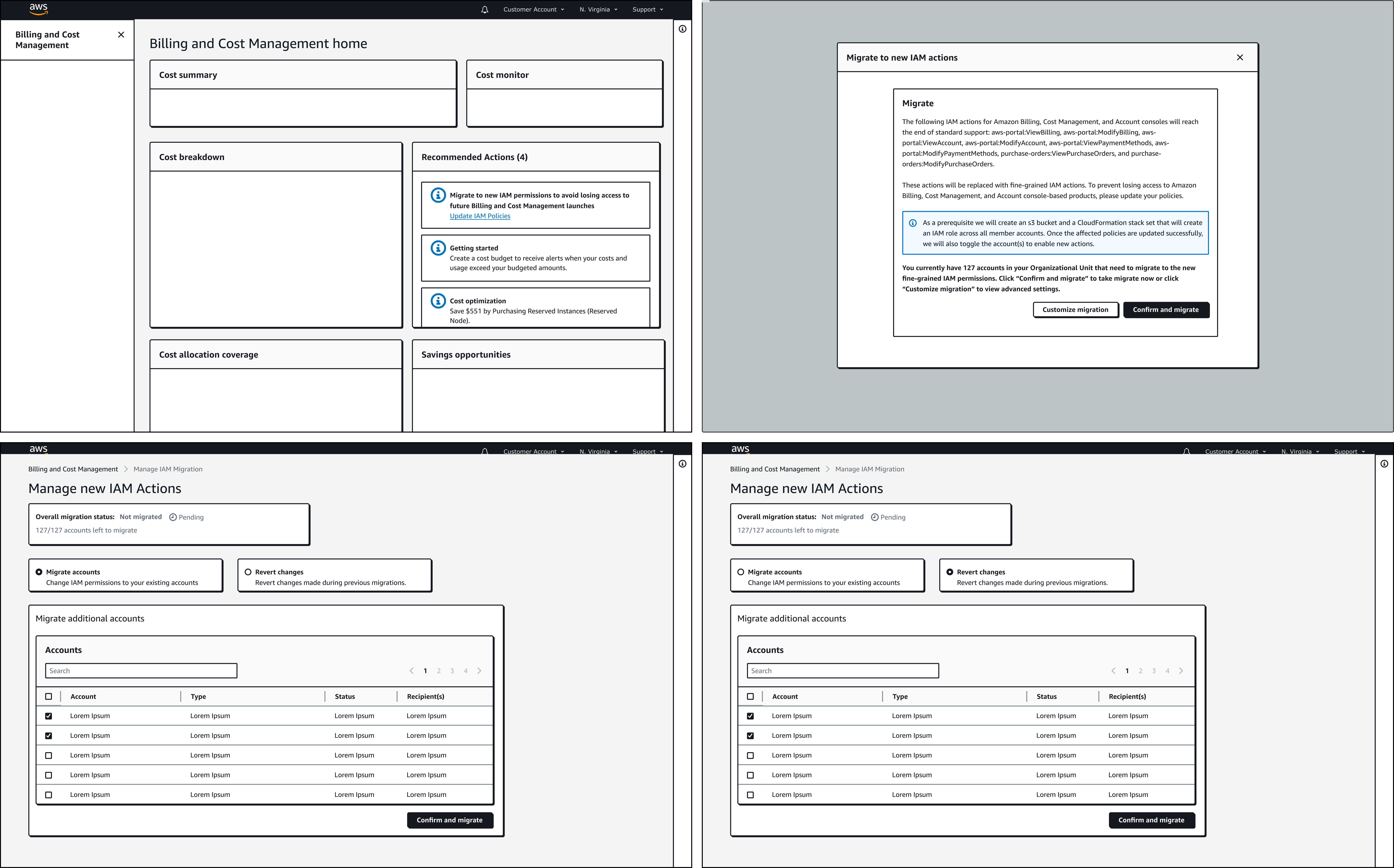
Through iteration, I introduced modals that explained backend changes, progress indicators to reduce uncertainty, and flashbars for success, error, and retry states. Each design decision centered on reducing friction while building confidence, especially for the non-technical customers who had been excluded before.
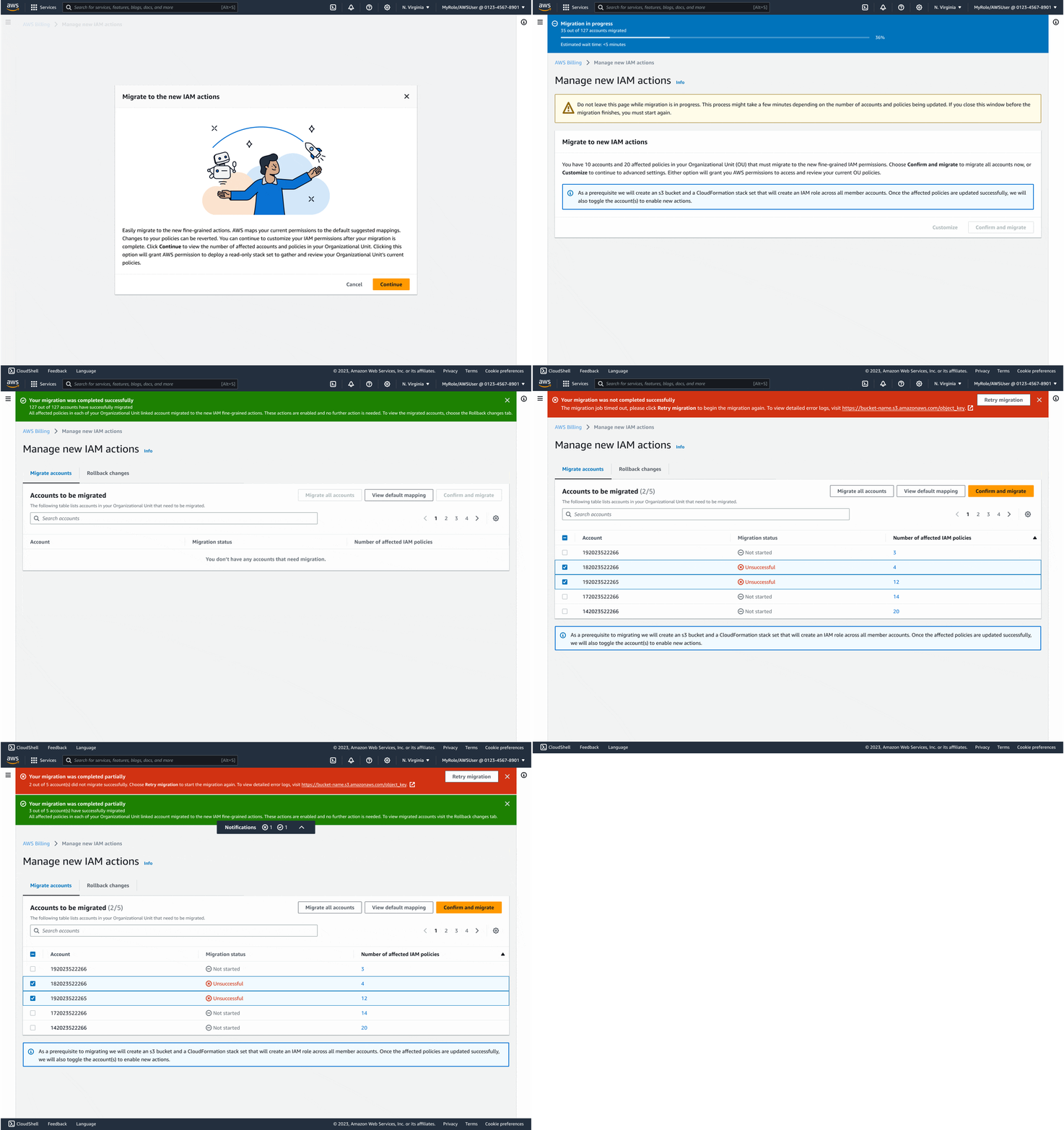
The final experience made migrating thousands of accounts as easy as a few clicks. Customers could see progress in real time, rollback instantly if needed, and trust that AWS was handling the technical complexity on their behalf. By focusing on clarity and safety, I turned a process that once felt intimidating into something accessible and reliable.
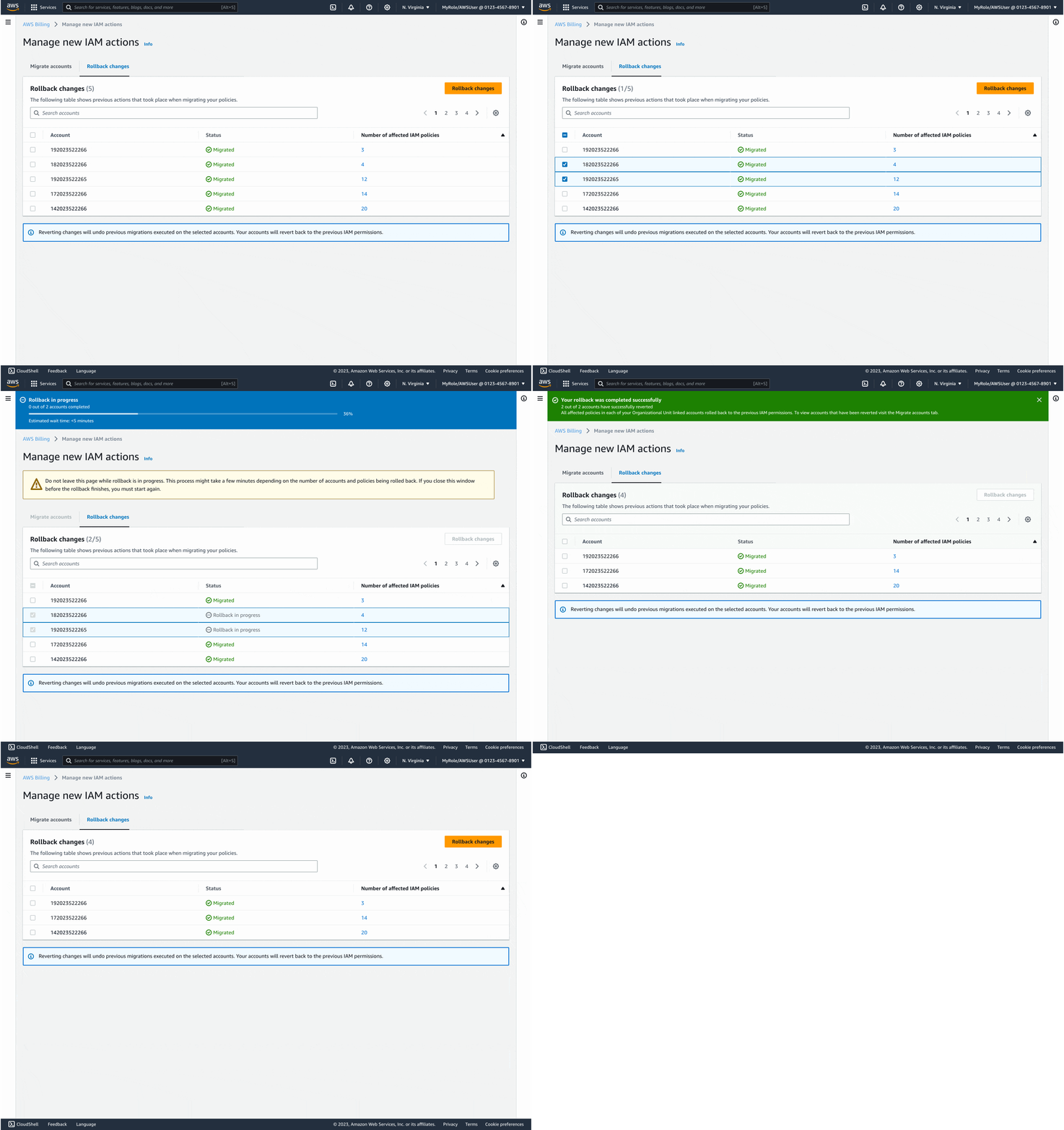
The impact was immediate: within the first month, 1.41 million accounts (83%) migrated successfully. By the second month, another 6,000 accounts had followed, with 97% choosing the new Bulk Policy Migrator over legacy tools. This shift showed that when design removed technical barriers and built customer trust, adoption followed naturally.

<01> This was my first major launch at AWS, and it taught me invaluable lessons about collaboration and impact. I learned how to articulate design rationale in a way that aligned cross-functional teams, gained deeper knowledge of the Cloudscape Design System, and saw firsthand how design decisions could influence adoption at massive scale.
<02> This project deepened my expertise in applying human-centered design principles to solve complex customer challenges.
<03> This project pushed me into new territory, my first time designing at enterprise scale, plus the added challenge of AWS's technical complexity. It was a steep learning curve, but it taught me the value of really understanding complex systems early in the design process.
<04> Most importantly, I learned how to turn a deeply technical backend process into a customer-friendly experience, and how using tools like Figma to keep collaboration transparent and accessible could accelerate both trust and adoption.
2025 · designed in figma and built in webflow in seattle . ݁₊ ⊹ .
conversation is my favorite medium

